
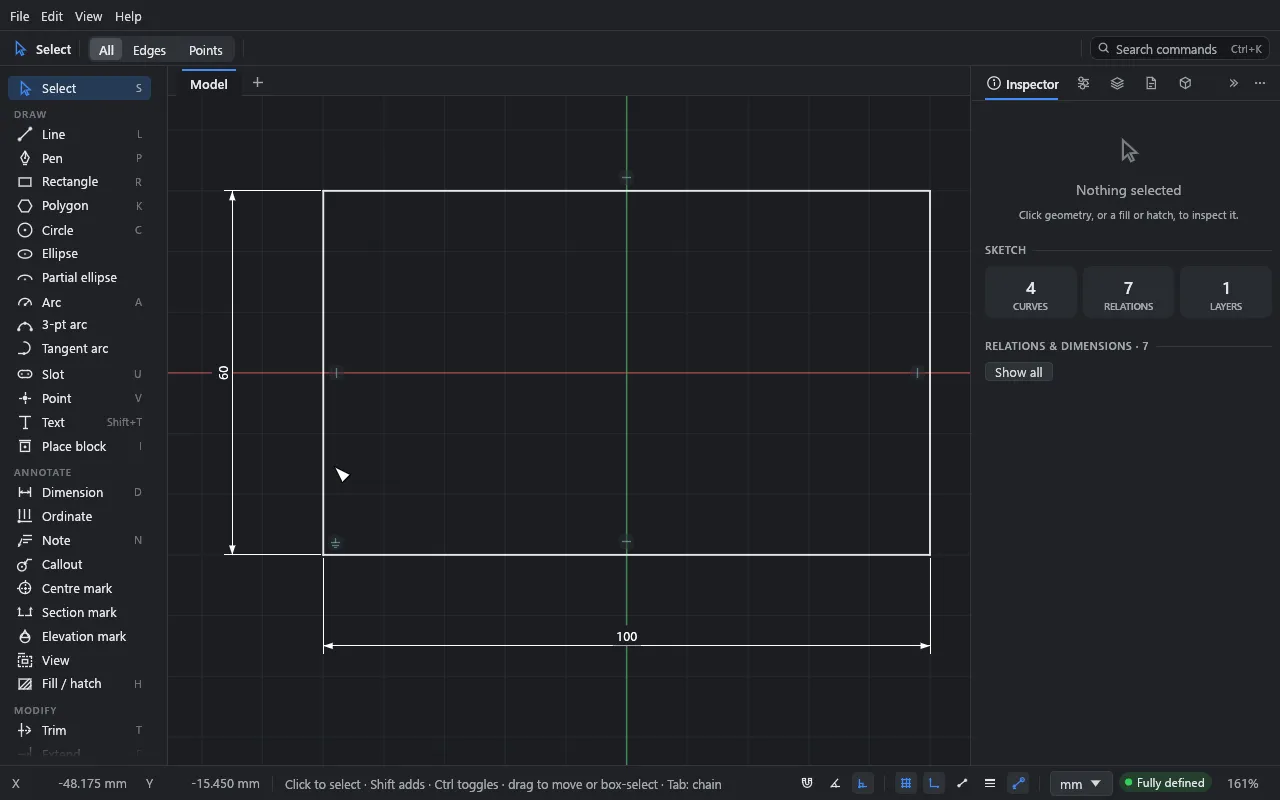
Dimensions that drive the drawing
Smart dimensions read what you click: lengths, angles, radii, distances. Type a new value and the geometry follows. Blue means still free; white means fully defined.
Start messy. End perfect. Drift handles everything in between, and never asks you to commit too early.
Windows · macOS · Browser · Now in beta
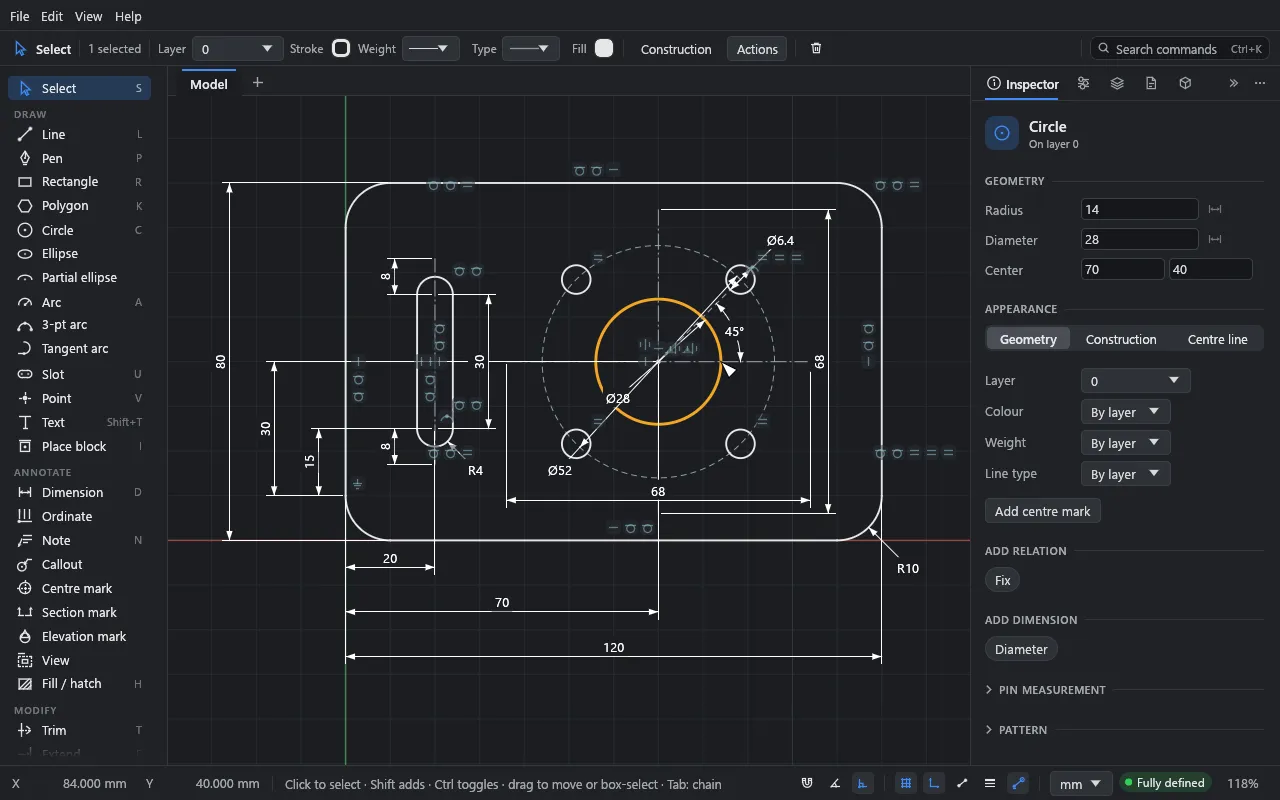
What's in it
Drift borrows constraint sketching from mechanical CAD and makes it quick enough for early design: plans, sections, details, joinery, signage and fabrication drawings.
Smart dimensions read what you click: lengths, angles, radii, distances. Type a new value and the geometry follows. Blue means still free; white means fully defined.
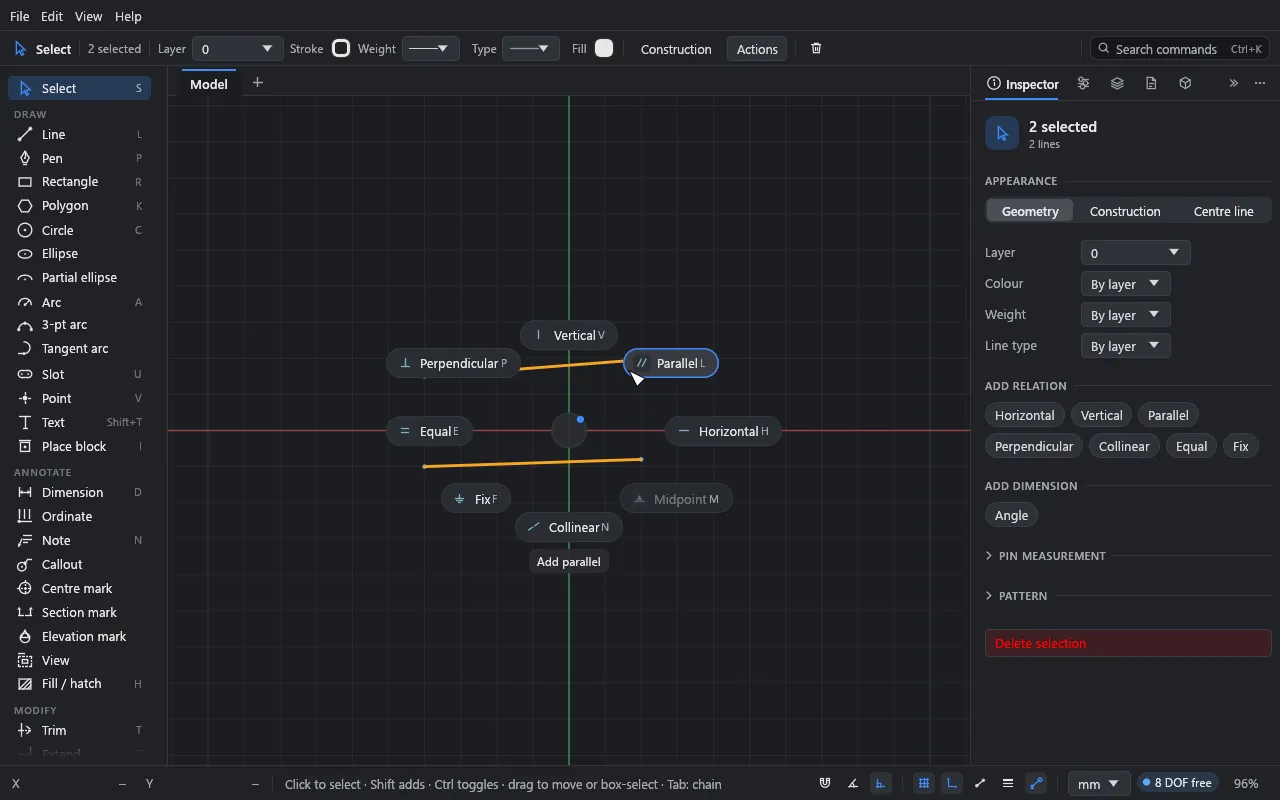
Hold Q and flick towards horizontal, tangent, equal or symmetric. Drift adds the obvious ones as you draw, and refuses ones that would over-define the sketch, with a reason.
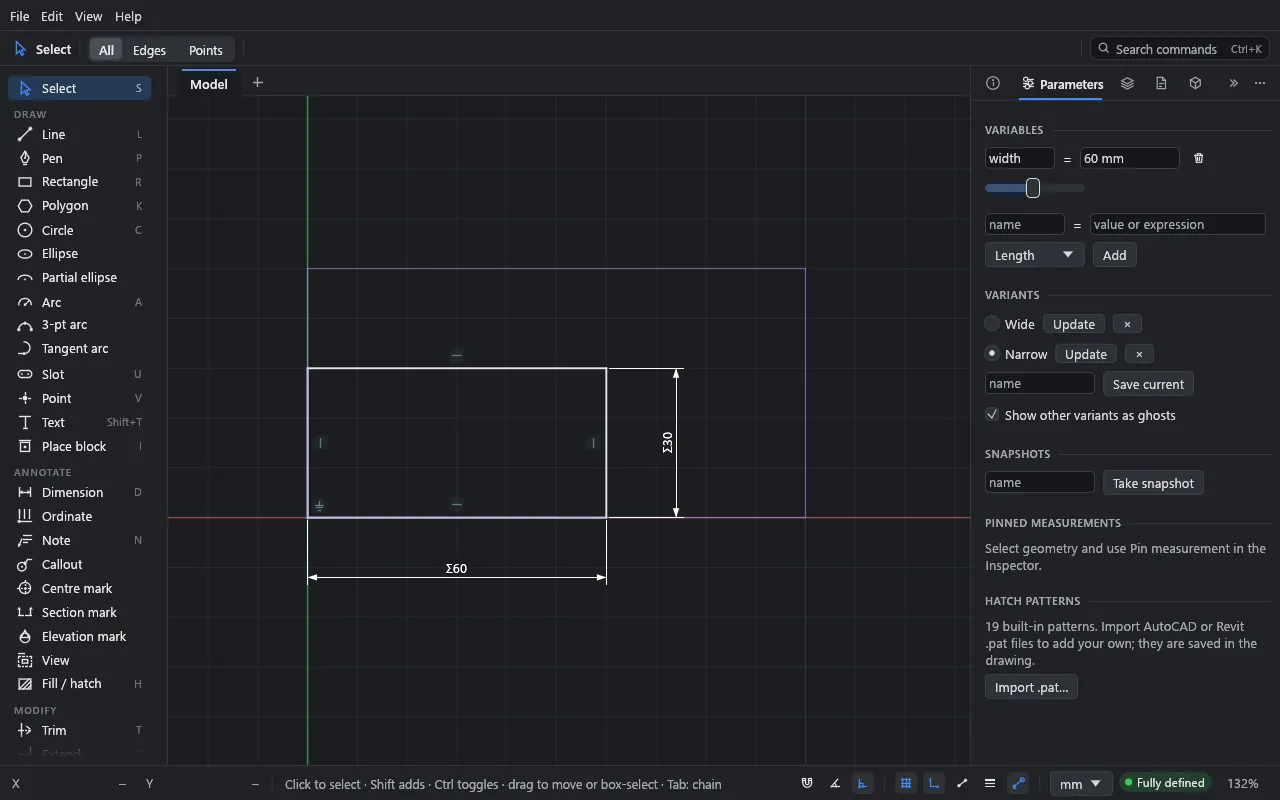
Name a value, width = 1200, and drive dimensions with expressions. Drag a slider to watch the sketch re-solve, and keep named variants to compare options side by side.
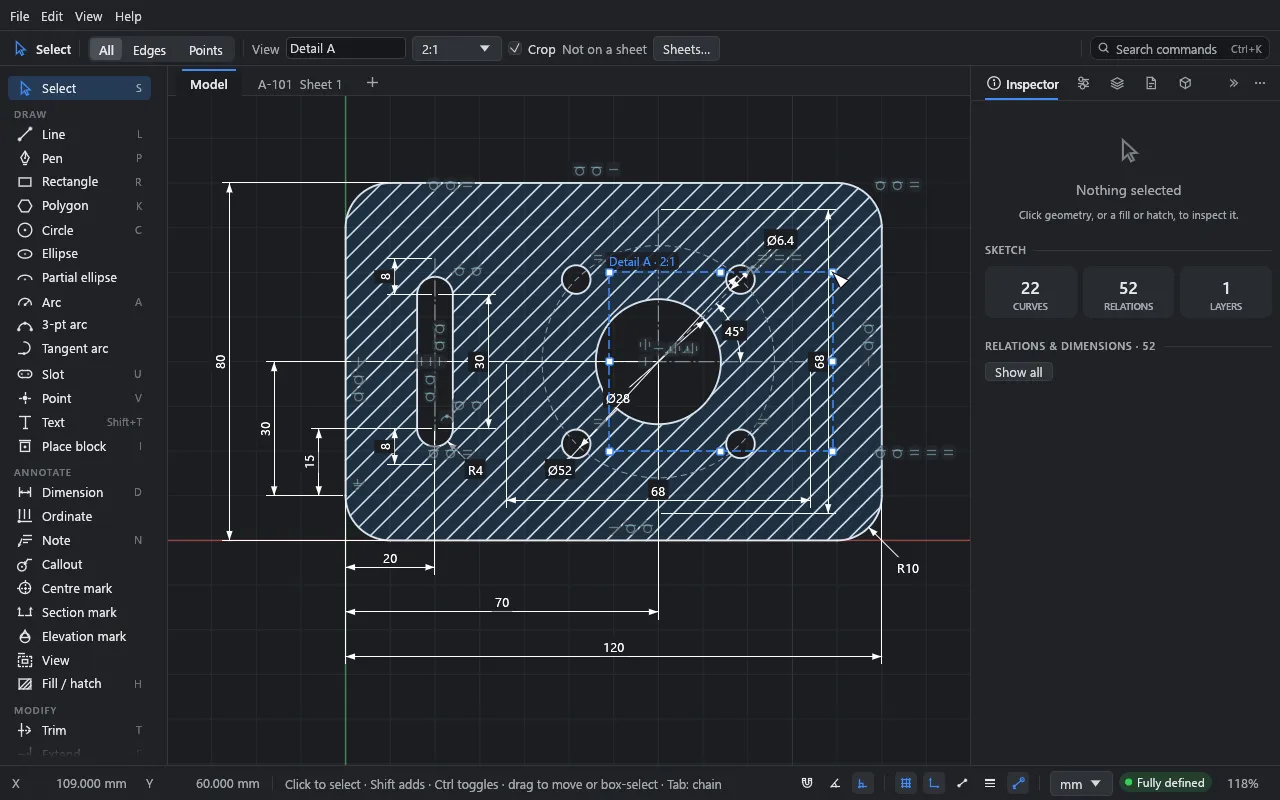
Crop named views of the model right on the canvas, Revit-style, and place them on sheets. Each view picks its layers and its own dimensions and notes; section and elevation marks link to the views they cut.
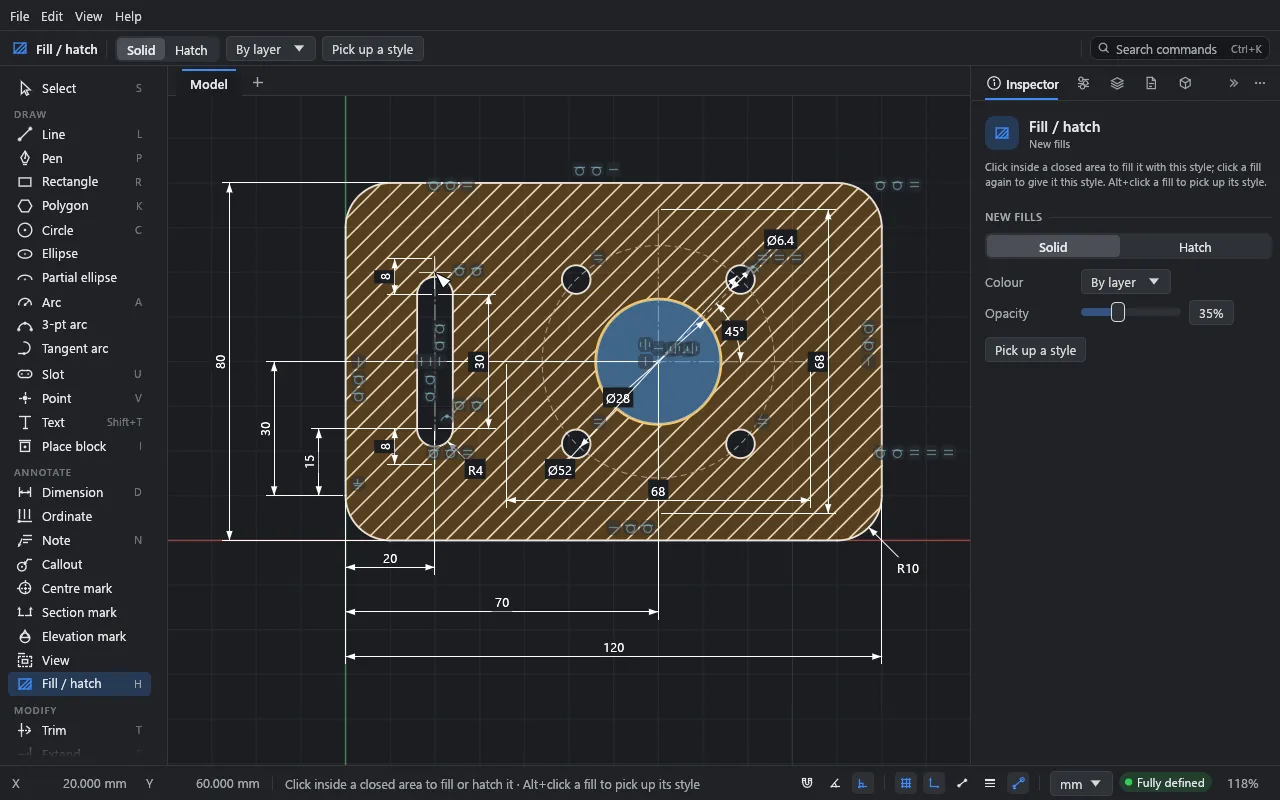
Click inside a closed area to hatch it: concrete, earth, insulation, brick, or any AutoCAD or Revit .pat file. Fills stay on their outlines through every edit.
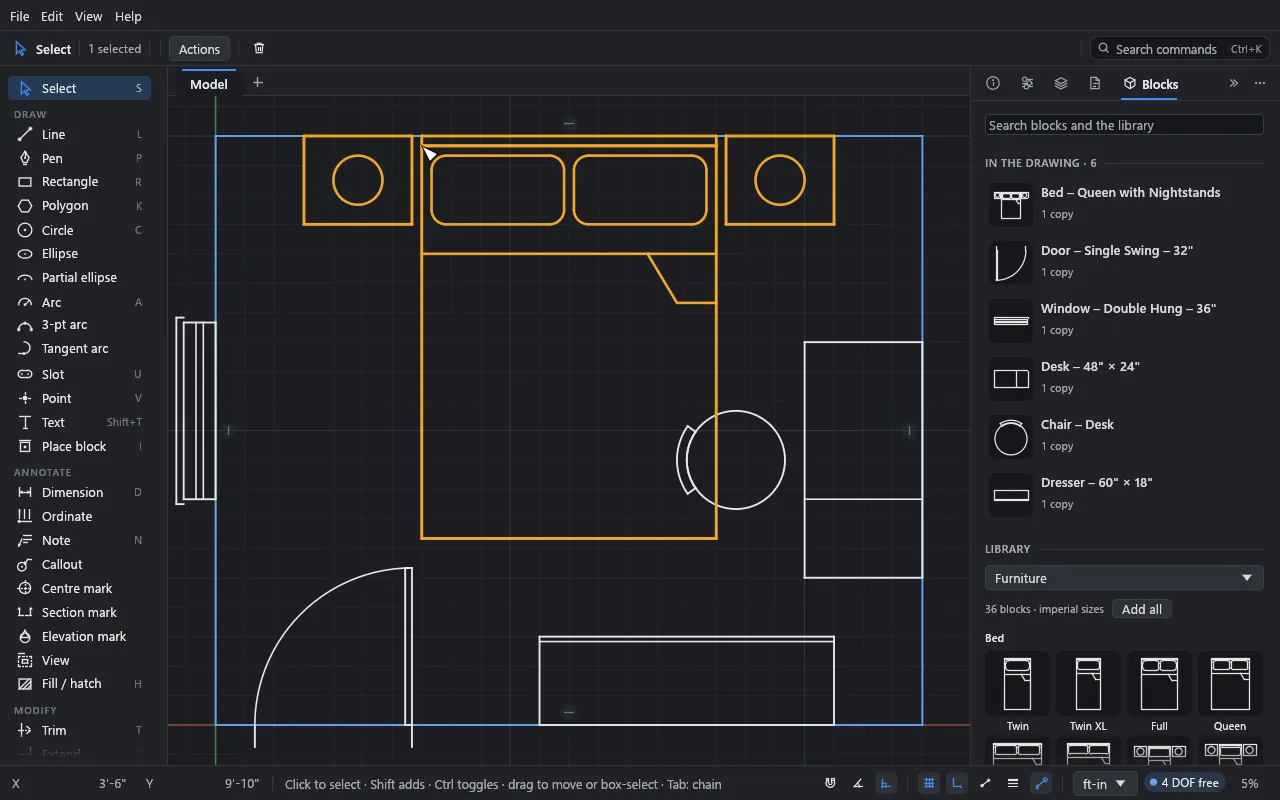
Doors, windows, fixtures and furniture to drop in, or make blocks of your own. Edit one and every copy updates. DXF blocks come across both ways.
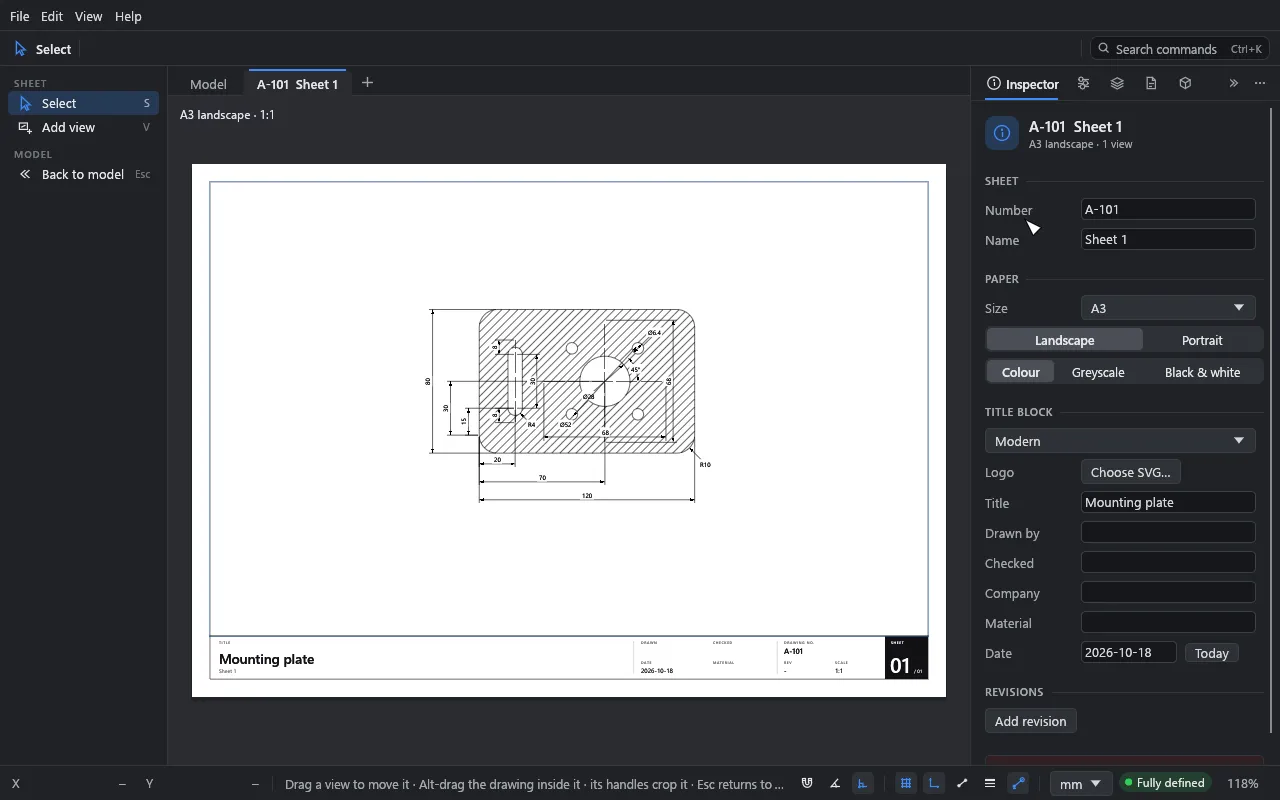
Lay views out on A4 to A0 or ANSI sheets with a title block and revisions. Export true-scale vector PDF, SVG or DXF, and trace over PDF, DWG and DXF underlays.
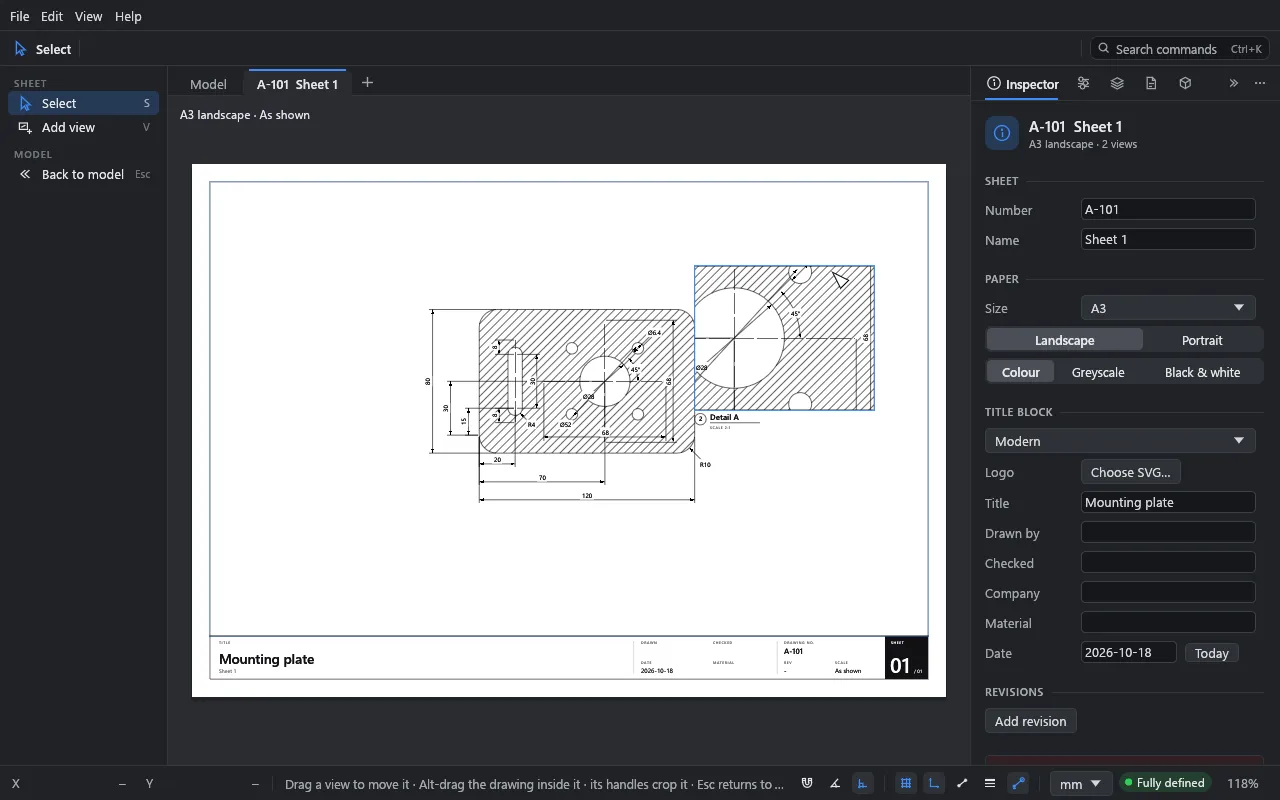
Choose per sheet how it prints: in colour, in greys, or as a crisp monochrome plot. The sheet preview shows exactly what comes out.
drift-mcp lets Claude and other MCP assistants sketch, constrain, dimension, render and analyse Drift drawings: live, in the drawing you have open, or from a short Drift script.
Beta 1.4 is out
Beta 1.4 is here. Here's what's new.
PDF and Illustrator files come in true to the original: CMYK colours through the file's colour profile, fills with their own opacity, and opaque fills hiding the lines beneath. Scans and photos arrive as underlay pictures, and a scan-only page can be an underlay.
Changes after a large import commit in about a second instead of minutes: 372 seconds down to 1.1 on a dense 72,000-curve sheet.
The Layers panel gains a filter once there are more than 8 layers, Isolate to show just one (End isolate brings the rest back), and long names shortened in the middle.
Floating panels size to their contents, fold to their headers, and stay where you put them.
Lines carried along by a move keep their length, free curves always move, and drags settle the same at any size and position. Curves ending on an arc close their areas, and tangency at an unshared end is recognised.
Block copies in inch DWG and DXF drawings come in at the right size, geometry far from the origin is flagged (import reports can select it), and two crashes are gone. Drawings saved by Beta 1.4 don't open in earlier betas.
Feels familiar
Drift is made for people who already draw in Revit, AutoCAD, SolidWorks, Illustrator or Affinity. Units can be millimetres or feet-and-inches with fractions, typed any way you like: 1'-6 1/2", 450mm,=width/2.
The pen draws like Illustrator's. G moves and R rotates, Blender-style, with X and Y to lock an axis. Ctrl/⌘+K finds every command.
Coming from another program →No install
The full app runs in the browser with WebGPU, or WebGL2 on older browsers. Your work is kept in the browser between visits, and you can download it as a .drift file.
Download
Drift is in beta for Windows and macOS, and runs in your browser too. About the licence.